Slow sectors are tomorrow’s bad sectors.
SMART counts sectors that have already failed. hddscan times every read, and finds the ones that are about to.
Quick start
Build it and run it
git clone https://github.com/IntelliStream-DataHub/hddscan
cd hddscan
make                 # or: make static, for a binary with no glibc floor
sudo ./hddscan       # opens the form
The default profile writes, so a bare hddscan /dev/sdb
stops and asks for --confirm instead of doing anything:
an error, never data loss. For a drive with data on it, use
--profile inservice, which never writes.
The problem
“SMART Health Status: OK” until the day it isn’t
A drive can return every sector correctly and still be failing. When a sector gets hard to read, the firmware retries it, re-reads it with different settings, and corrects the data. Your read succeeds; it just takes tens of milliseconds instead of a few. Nothing is reallocated, nothing is logged as an error, and SMART keeps saying OK.
Those slow sectors are the ones about to become unreadable. Timing reads is the only way to see them coming, and that is what hddscan does.
- SMART health status
- OK
- Sectors reallocated, ever
- 1
- Uncorrected read errors
- 0
- Reads the drive had to grind for
- 42,899,520
- Its own long self-test
- failed
One real SAS drive, from its own error counter log: about 80,000 slow recoveries per terabyte read, and a failure prediction years old.
How it works
Time every read against what this drive should manage
-
Calibrate
Measure the drive at eight points from the outer edge to the inner, with the same access pattern the scan will use. The budget follows the platter, because an outer track reads about twice as fast as an inner one.
-
Scan and drill down
Read the drive in chunks, one request at a time so each is timed alone. A chunk is never faster than its slowest sector, so any chunk over budget is re-read 4 KiB at a time to find the culprit.
-
Judge and report
Every suspect sector is retried and classified: weak (slow, or readable only on a retry), unreadable, or corrupt. The verdict says how much of the drive was actually tested.
What you get
Built for a shelf of drives, not a single disk
It asks what you are about to do
Pick a profile: predeploy writes every sector and verifies it, inservice never writes, survey samples a shelf, decay checks a written pattern weeks later, repair forces the drive to retire what it cannot read.
ProfilesRuns outlive the terminal
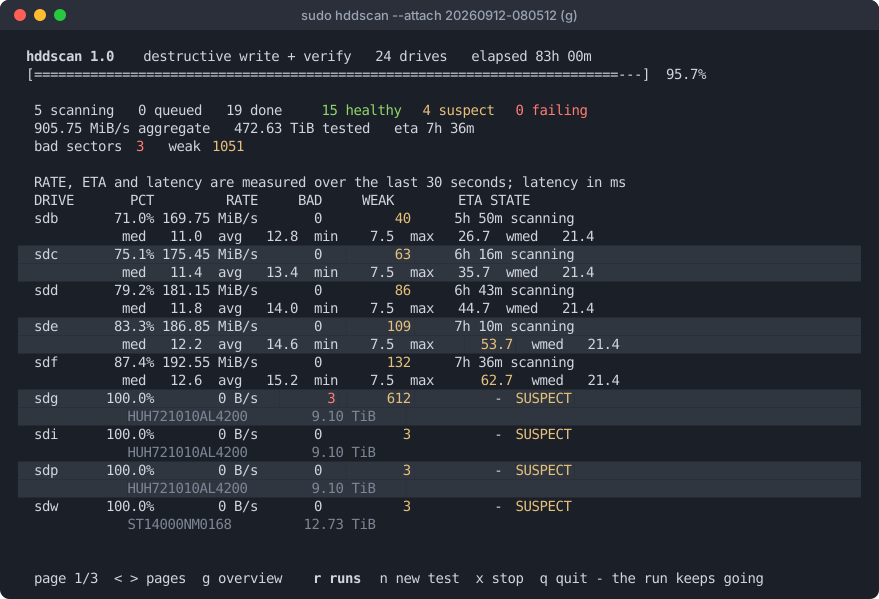
A scan belongs to a process of its own. Close the window or lose the ssh session and it keeps going. Thirty formats and twenty-four scans are two rows on one screen.
RunsReports that do not overclaim
Every report has a Coverage line. A scan that was sampled, interrupted or partial says so, and blocks it could not test are named as untested, never passed as healthy.
Reading a reportPut a damaged drive back to work
A few hundred bad sectors do not make a drive scrap. One key maps the damage out below the filesystem with device-mapper, so ZFS, btrfs or ext4 get a clean device. No kernel module.
Hiding bad blocksLeaves drives configured for service
Predeploy saves what a SAS drive should run with: auto-reallocation, the read cache, and its own weekly background scan. Every change is printed with the command that undoes it.
Drive settingsLow level format, in parallel
Change sector size, strip or keep protection information, across a whole shelf at once. On one 14 TB drive, removing it gave back 284 GB.
FormattingOne static binary
Single-file C with no dependencies beyond libc, so it runs on a rescue system with nothing installed. smartctl, sdparm and sg3-utils are used when they are there.
Install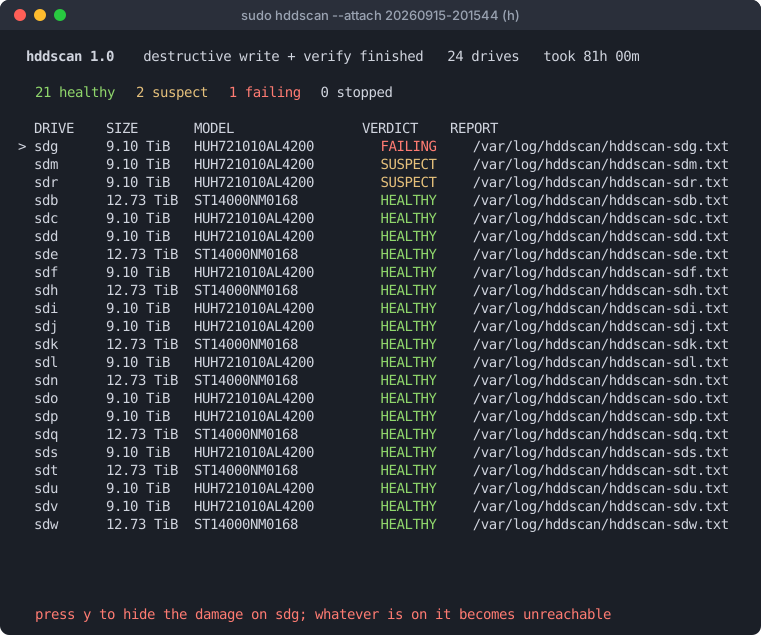
When a drive fails the scan
Decide what it is still good for
The summary a scan ends on holds every verdict until you press a
key. On a drive with damage, h writes a map of the bad
extents onto the drive itself and creates
/dev/mapper/bb-<serial>: the same drive with the
damage cut out, and spares held back for anything found later.
Put a backup pool on that, with compression and checksums, and a drive you were about to throw away keeps working.